The following step will define the resources we want to create by default when a new space of work of this type is created. For it we click on the tools icon

, to go to the Workspace Types Resources:
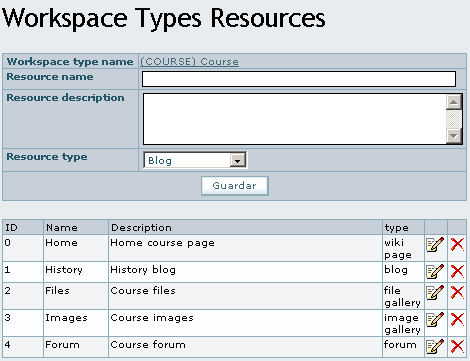 |
| Resources associated to the type of workspace |
In the upper part, we enter a name for the resource, a description and the type of Tiki resource we want to create (Blog, wiki page, file gallery etc.). In the lower part of the screen is the list of existing resources, associated to the type of workspace.
The resources that we are defining in this step do not yet exist in Tiki, but are simply a group that will be used whenever we create a new workspace of this type. The resources we have defined will automatically be created.
For the case of the course type, we can create a wiki page that is the main page of the course. Here we describe what the course consists of, a blog that can be like a ship's log, a gallery of archives so that the students of the course can unload notes and exercises and so on.


 ,
xavi
,
xavi ,
jreyes
,
jreyes Wiki
Wiki

Last wiki comments